
Type 1
The key fits all locks.
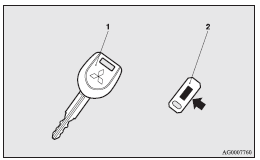
1- Electronic immobilizer key
2- Key number tag
See also:
Vehicle care precautions
In order to maintain the value of your vehicle, it is necessary to perform regular
maintenance using the proper procedures.
Always maintain your vehicle in compliance with environmental pollution c ...
Heater
The heater can only be used while the engine is running. ...
Rear window demister switch
The rear window demister switch can be operated when the engine is running.
Push the switch to turn on the rear window demister.
It will be turned off automatically in about 20 minutes. To turn off ...