
Setting the system
Follow the procedure below to set the system to the system armed mode.
1. Turn the ignition switch to the “LOCK” position.
If you started the engine with the key, remove the key from the ignition switch.
2. Exit the vehicle and close all of the doors, rear hatch and bonnet.
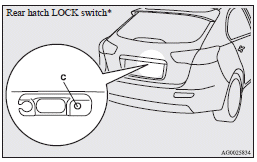
3. Press the LOCK switch (A) on the remote control switch of the keyless entry system
or the keyless operation system, the driver’s or front passenger’s door lock/unlock
switch (B), or the rear hatch LOCK switch (C) in order to lock all the doors and
rear hatch.
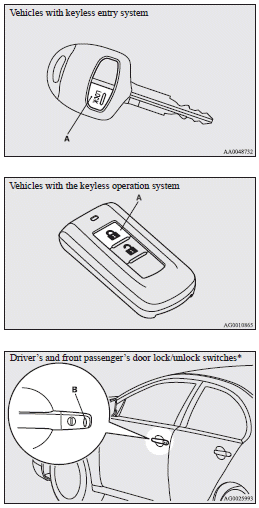
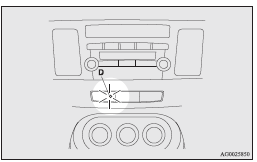
By locking the vehicle using the keyless entry system or the keyless operation function, the system preparation mode is activated.
The security indicator (D) in the audio panel blinks for confirmation.
 Note
Note
► The system preparation mode is not activated when the doors and rear hatch
have been locked using a method other than the keyless entry system or the keyless
operation function (namely a key, the inside lock knob or the central door lock
switch).
► If the bonnet is open, the security indicator illuminates, and the system does
not enter the system armed mode.
When the bonnet is closed, the system enters the system preparation mode, and after
approximately 20 seconds the system enters the system armed mode.
4. After approximately 20 seconds, the buzzer stops, and when the blinking of the security indicator starts to slow down, the system armed mode goes into effect.
The security indicator continues to blink during the system armed mode.
Note
► The security alarm system can be activated when people are riding inside the
vehicle or when the windows are open. To prevent accidental activation of the alarm,
do not set the system to the system armed mode while people are riding in the vehicle.
► Avoid leaving valuable items inside the vehicle even when the security alarm system
has been set to the “active” mode.
To deactivate the vehicle inclination detection function and the interior intrusion detection function
The vehicle inclination detection function and the interior intrusion detection function can be deactivated when parking in automated car parks, when leaving pets in the vehicle or when leaving the vehicle with the windows slightly open.
1. Turn the ignition switch to the “LOCK” position.
If you started the engine with the key, remove the key from the ignition switch.
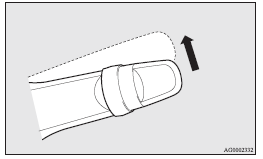
2. Raise and hold the wiper and washer switch to the “MIST” position for approximately
3 seconds. The buzzer will sound once and the function will be deactivated.
To activate the function again, raise and hold the wiper and washer switch to the “MIST” position for approximately 3 seconds.
The buzzer will sound twice and the function will be activated.
Note
► The function will be activated again if the following operation is performed.
• If the doors and rear hatch are unlocked using the keyless entry system or
the keyless operation function.
• If the ignition switch is turned to the “ON” or “ACC” position.
See also:
Dimensions
A: Hatchback B: Sedan
...
Emergency starting
If the engine cannot be started because the battery is weak or dead, the battery
from another vehicle can be used with jumper cables to start the engine.
Warning
► To start the engine using ...
To lock or unlock from inside the vehicle
Except for vehicles equipped with the central door lock switch
The rear hatch can be locked or unlocked by using the inside lock knob (driver
side).
1- Lock
2- Unlock
If the rear hatch is lock ...