
Glove box
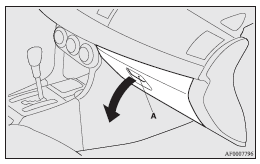
To open, pull the lever (A).
 Note
Note
► The USB input terminal (if so equipped) is located in the glove box. For details, refer to “USB input terminal”.
Card holder
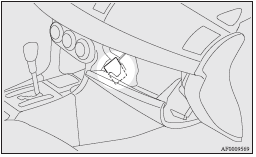
There is a card holder on the inside of the glove box.
Note
► The card holder can hold up to 2 cards.
See also:
Twin Clutch SST control mode
When the ignition switch is set to the “ON” position, operate the Twin Clutch
SST control mode switch (A) to change the control mode.
When the engine is started, the control mode is automatic ...
To adjust the vertical mirror position
It is possible to move the mirror up and down to adjust its position.
To adjust the mirror position
It is possible to move the mirror up/down and left/ right to adjust its position.
...
Retracting and extending the mirrors using the mirror retractor switch
With the ignition switch in the “ON” or “ACC” position, push the mirror retractor
switch to retract the mirrors. Push it again to extend the mirrors to their original
positions.
After pla ...