
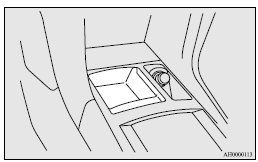
Front console tray
The front console tray is on the front console part.
 Note
Note
► Do not use the front console tray as an ashtray.
This could cause fire or damage the tray.
See also:
Operation of the automatic transmission INVECS-II
CAUTION
(1) Before selecting a gear with the engine running and the vehicle stationary,
fully depress the brake pedal to prevent the vehicle from creeping. The vehicle
will begin to move as soon ...
Disposal information for used batteries
Your vehicle contains batteries and/or accumulators.
Do not mix with general household waste.
For proper treatment, recovery and recycling of used batteries, please take them
to applicable colle ...
Except for vehicles equipped with Twin Clutch SST
Always stop the vehicle in a safe place before operating.
The following information is included on the multi-information display: warnings,
odometer, tripmeter, service reminder, engine coolant tem ...