
Cargo net*
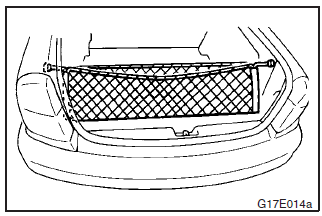
To use, attach the cargo net to the hooks as shown in the illustration.
See also:
Vehicle information code plate
The vehicle information code plate is located as shown in the illustration.
1- Except for vehicles with turbocharger
2- Vehicles with turbocharger
The plate shows model code, engine model, transm ...
Important operation tips for the air conditioning
► Park the vehicle in the shade.
Parking in the hot sun will make the vehicle inside extremely hot, and it will
require more time to cool the interior.
If it is necessary to park in the sun, ...
Information screen (when the ignition switch or the operation mode is ON)
Each time you lightly press the multi-information meter switch, the display screen
switches in the following order.
1- Odometer (Type1)/Tripmeter
2- Odometer (Type1)/Tripmeter
3- Service ...