
Odometer/Tripmeter
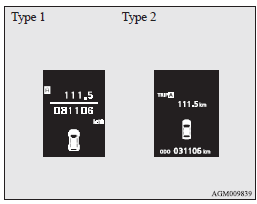
The operation method is the same as when the ignition switch is “OFF”.
Refer to “Odometer/Tripmeter” for further details.
See also:
To listen to tracks from a device connected via Bluetooth
1. Press the PWR button (2) to turn on the audio system. The system turns on
in the last mode used.
2. Press the CD button (1) several times to switch to the B (Bluetooth®) mode.
The input mode ...
Steering wheel lock
To lock
Turn the steering wheel until it is locked.
To unlock
Turn the ignition switch to the “ACC” position while moving the steering wheel
slightly right and left.
Caution
► Carr ...
Windscreen washer
The windscreen washer can be operated with the ignition switch in the “ON” or
“ACC” position.
The washer fluid will be sprayed onto the windscreen by pulling the lever towards
you.
When ...