
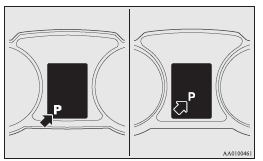
Selector lever position display
When the ignition switch is turned to the “ON” position, the position of the selector lever is indicated in the multi-information display.
See also:
UKW/MW/LW electronic tuning radio with CD player*
The audio system can be used when the ignition switch is in the “ON” or “ACC”
position.
A– Display window B– Audio system
NOTE
(1) The MITSUBISHI Genuine CD autochanger can be conne ...
Information screen (when the ignition switch or the operation mode is ON)
Each time you lightly press the multi-information meter switch, the display screen
switches in the following order.
1- Odometer (Type1)/Tripmeter
2- Odometer (Type1)/Tripmeter
3- Service ...
Function setting screen
The “Display language”, “Temperature unit”, “Fuel consumption unit”, and “Average
fuel consumption and speed reset method” etc. settings can be modified as desired.
Refer to “Ch ...