
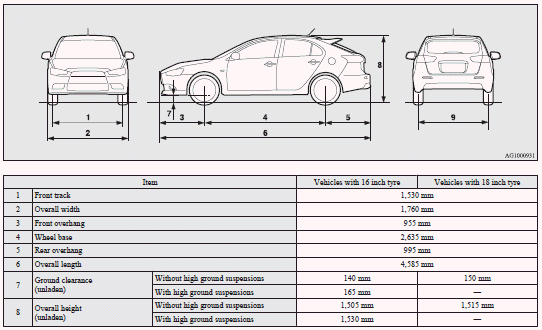
Vehicle dimensions

See also:
Electronic immobilizer (Anti-theft starting system)
The electronic immobilizer has been designed to significantly reduce the possibility
of vehicle theft.
The purpose of the system is to immobilize the vehicle if an invalid start is
attempted. A v ...
To check the fluid level
The fluid level must be between the “MAX” and “MIN” marks on the reservoir.
The fluid level is monitored by a float. When the brake fluid level falls below
the “MIN” mark, the brake f ...