
To install
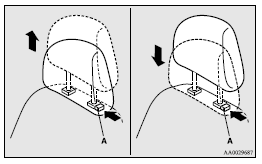
Confirm that the head restraint is facing the correct direction, and then insert it into the seatback while pressing the height adjusting knob (A) in the direction indicated by the arrow.
 Caution
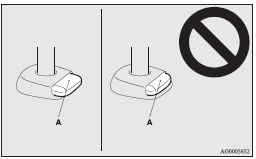
► Confirm that the height adjusting knob (A) is correctly adjusted as shown in the illustration, and also lift the head restraints to ensure that they do not come out of the seatback.
Caution
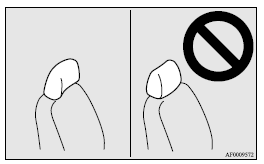
► The shape and size of the head restraint differs according to the seat. Always use the correct head restraint provided for the seat and do not install the head restraint in the wrong direction.
See also:
What to do if the engine speed becomes unstable after the battery is replaced
If the engine speed becomes unstable after the battery is replaced, reset the
engine using the following method:
1. Stop the vehicle in a safe place. 2. Place the gearshift lever (manual transmissi ...
Cargo room lamp
1 (ON) - The lamp illuminates regardless of whether the rear hatch is open or
closed.
2 - The lamp illuminates when the rear hatch is opened, and goes off when the
rear hatch is closed.
3 (OFF ...
Vehicle identification number
The vehicle identification number is stamped as shown in the illustration.
...