
Average fuel consumption display
This displays the average fuel consumption from the last reset to the present time.
There are the following 2 mode settings.
For information on how to change the average fuel consumption display setting, refer to “Changing the function settings (when the ignition switch is “ON”)”.
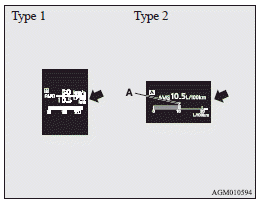
The  mark (A) in the momentary fuel
gauge shows the average fuel consumption.
mark (A) in the momentary fuel
gauge shows the average fuel consumption.
See also:
Cancelling the alarm
It is possible to halt the activation of an alarm using the following methods:
• Pressing the LOCK or UNLOCK switch on the remote control switch.
(After pressing the LOCK switch, the vehicle will ...
Inside rear hatch release
The inside rear hatch release is designed to provide a way to open the rear hatch
in the case of a discharged battery.
The rear hatch release lever (see illustration) is mounted on the rear hatch.
...
Changing gears
Always use care to change the gear with the vehicle speed matched to the engine
speed. Proper shifting will improve fuel economy and prolong engine life.
Avoid shifting down at high speed, as this ...