
Gearshift lever position display
When the ignition switch is turned to the “ON” position, the position of the gearshift lever is indicated in the multi-information display.
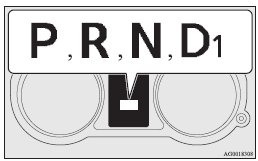
In addition, when the vehicle is driven with the gearshift lever in the “D” (DRIVE) position, the forward gear number is shown.
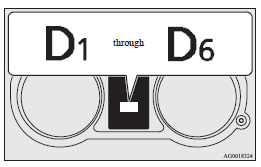
If the gearshift lever position display
 blinks and the buzzer beeps
With the gearshift lever in the “R” (REVERSE) position, if the gearshift lever
position display blinks and the buzzer
beeps, the transmission gears have not properly engaged. To correct this situation,
the following procedure must be performed.
1. Depress the brake pedal with your right foot and place the gearshift lever
in the “N” (NEUTRAL) position.
2. Again place the gearshift lever in the “R” (REVERSE) position and confirm that
the gearshift lever position display has stopped blinking and that the buzzer has
stopped beeping.
3. Repeat 1 and 2 above if the gearshift lever position display continues to blink
and the buzzer beeps.
 Warning
► To avoid unintended vehicle movement when the gearshift lever position display
blinks and the buzzer beeps,
keep brake pedal applied with your right foot and do not depress the accelerator
pedal.
When the gearshift lever position display is not showing
There may be a problem in the Twin Clutch SST.
If this occurs, the safety device operates and prevents the vehicle from moving. Perform the following procedure.
1. Park your vehicle in a safe place and stop the engine.
2. Restart the engine.
If the gearshift lever position display is shown and the vehicle can move after this procedure is performed, there is no malfunction.
If the gearshift lever position display is not shown and the vehicle cannot move, or if this problem occurs repeatedly, have the vehicle checked by a MITSUBISHI MOTORS Authorized Service Point as soon as possible.
See also:
Instruments and Controls (Driver’s area)
1. Shift paddles
2. Wiper and washer switch
Rear window wiper and washer switch
3. Cruise control switches
4. Ignition switch
5. Supplemental restraint system - airbag (for driver’s seat)
...
Operation of the Dead Lock System
In a vehicle that has a Dead Lock System, it is possible to set the Dead Lock
System using the remote controller. (Refer to “Dead Lock System”.) ...
Headlamp flasher
The high-beams flash when the lever is pulled slightly (2), and will go off when
it is released.
When the high-beam is on, the high-beam indication lamp in the instrument cluster
will illuminate. ...