
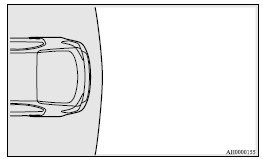
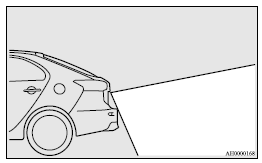
Range of view of rear-view camera
The range of view of the rear-view camera is limited to the area shown in the illustrations. It cannot show both sides and the lower part of the rear bumper, etc.
When reversing, be sure to visually confirm safety around the vehicle.
Location of rear-view camera
The rear-view camera (A) is integrated into the part near the rear hatch handle.
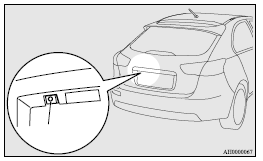
Range of view of rear-view camera
See also:
Filling the fuel tank
Warning
► When handling fuel, comply with the safety regulations displayed by garages
and filling stations.
► Before removing the fuel cap, be sure to get rid of your body’s static ...
Window glass
The window glass can normally be cleaned using only a sponge and water.
Glass cleaner can be used to remove oil, grease, dead insects, etc. After washing
the glass, wipe dry with a clean, dry, soft ...
Cleaning the interior of your vehicle
After cleaning the interior of your vehicle with water, cleaner or similar, wipe
and dry in a shady, wellventilated area.
CAUTION
• Do not use organic substances (solvents, benzine, kerosene, a ...