
Temperature control dial
Turn the temperature control dial clockwise or anticlockwise.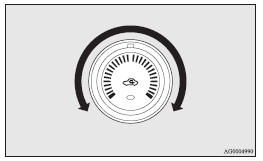
 Note
Note
► While the engine coolant temperature is low, the temperature of the air from the heater will be cool/cold until the engine warms up, even if you have selected warm air with the dial.
See also:
Electronic immobilizer (Antitheft starting system)
[For vehicles equipped with keyless operation system] For information on operations
for vehicles equipped with the keyless operation system, refer to “Keyless operation
system: Electronic immobi ...
Notes regarding diesel fuel
Due to paraffin separation, the fluidity of diesel fuel decreases remarkably
as the temperature decreases. For this reason, diesel fuel is divided into two types,
“summer” and “winter”.
T ...
Driving hints
► Always keep a safe distance from the vehicle in front of you. Even if your
vehicle is equipped with ABS, leave a greater braking distance when: • Driving on
gravel or snow-covered roads. ...