
Average speed display
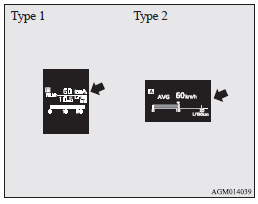
This displays the average speed from the last reset to the present time.
There are the following 2 mode settings.
For the method for changing the average speed display setting, refer to “Changing the function settings (when the ignition switch is “ON”)”.
See also:
Tachometer
The tachometer indicates the engine speed (r/min).
The tachometer helps you to obtain more economical driving and also warns you
of excessive engine speeds (Red zone).
CAUTION
• When driving ...
Emergency towing
If towing service is not available in an emergency, your vehicle may be temporarily
towed by a rope secured to the towing hook.
If your vehicle is to be towed by another vehicle or if your vehicle ...
Twin Clutch SST (Sport Shift Transmission)
The Twin Clutch SST is a transmission that, through integrated control of the
engine and transmission, is able to achieve both the smooth shifting of an automatic
transmission and the acceleration ...