
Warning activation
In order to prevent vehicle theft or the accidental operation of the keyless operation system, the buzzer and the display on the information screen in the multi- information display are used to alert the driver.
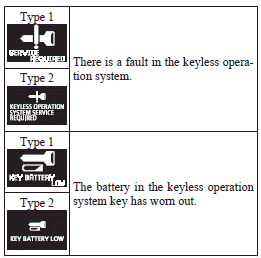
If a warning is activated, always check the vehicle and the keyless operation key. The warning is also displayed if there is a fault in the keyless operation system.
If any of the following warnings are activated, please contact a MITSUBISHI MOTORS Authorized Service Point.
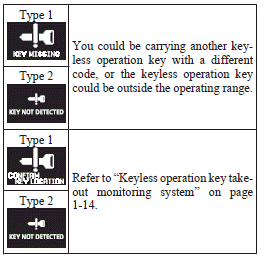
In the following cases, a warning is activated, but it can be cancelled if the correct actions are followed.
► The ID codes for the keyless operation key and vehicle do not match.
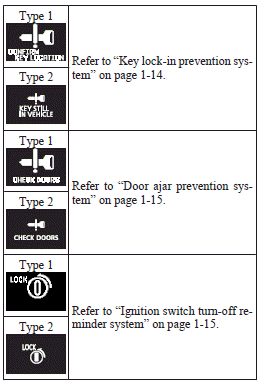
► Even though you press the driver’s or front passenger’s door lock/unlock switch, or the rear hatch LOCK switch, the doors and rear hatch are not locked.
See also:
Safety mechanism (driver’s door window only)
If a hand or head is trapped in the closing window, it will lower automatically.
Nonetheless, make sure that nobody puts their head or hand out of the window
when closing the driver’s door window ...
Headlamp flasher
The high-beams flash when the lever is pulled slightly (2), and will go off when
it is released.
When the high-beam is on, the high-beam indication lamp in the instrument cluster
will illuminate. ...
Polishing
The vehicle should only be polished if the paintwork has become stained or lost
its lustre. Matt-finish parts and plastic bumpers must not be polished, polishing
these parts will stain them or dam ...