
Rear fog lamp
1. Remove the socket and bulb assembly by turning it anticlockwise.
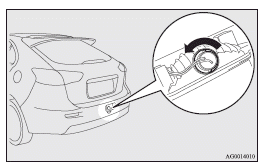
2. Remove the bulb by pulling it out.
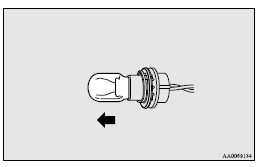
3. To install the bulb, perform the removal steps in reverse.
See also:
A question of carisma
What it lacks in crowd-stopping style, this medium-sized Japanese contender
makes up for with innovation. Introduced in 1995, it was the first Far East car
to sidestep import quotas by being built ...
Range of view of rear-view camera
The range of view of the rear-view camera is limited to the area shown in the
illustrations. It cannot show both sides and the lower part of the rear bumper,
etc.
When reversing, be sure to visua ...
Setting the system
1. Turn the ignition switch to the “LOCK” position.
Also, if a key was used to start the engine, remove the key from the ignition
switch.
2. Get out of the vehicle. Close all doors and rear ha ...