
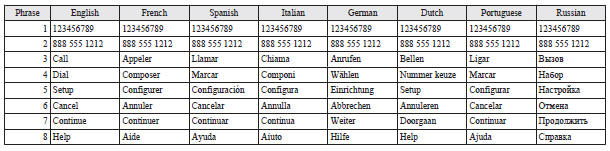
Enrollment commands
See also:
Spare wheel information
Check the air pressure of the spare tyre frequently and make sure it is ready
for emergency use at any time.
Maintaining the spare wheel at the highest specified air pressure will ensure
that it ...
Centre panel
1. Audio
MITSUBISHI Multi-Communication System®
Refer to the separate “MITSUBISHI Multi-Communication System owner’s manual”
2. Front passenger seat belt warning lamp
3. Rear window demis ...
Changing a fuse
1. Before replacing a fuse, always turn off the electrical circuit concerned
and turn the ignition key to the “LOCK” position. 2. Remove the fuse box cover.
3. Referring to the fuse load cap ...