
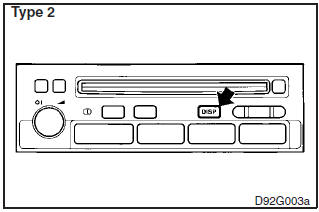
Change of display mode (for vehicles with a MITSUBISHI genuine audio system)
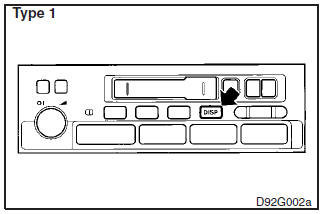
Every time the “DISP” button is pressed lightly (less than 2 seconds), the display can be changed.
Average fuel consumption Driving range Average speed
See also:
Additional equipment (For regions where snow is encountered)
It is a good idea to carry a shovel or a short-handled spade in the vehicle during
the winter so that you can clear away snow if you get stranded. A small hand-brush
for sweeping snow off the vehi ...
Reversing lamps
1. Insert a straight blade (or minus) screwdriver with the end covered with a
cloth or other object into the cut out area of the cover and pry gently to remove
the cover.
2. Remove the socket a ...
USB input terminal
You can connect your USB memory device or iPod to play music files stored in
the USB memory device or iPod.
The following explains how to connect and remove a USB memory device or iPod.
Refer to t ...