
Cargo net*
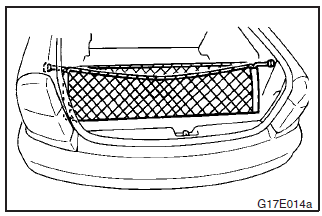
To use, attach the cargo net to the hooks as shown in the illustration.
See also:
Auto–speed (cruise) control*
Auto–speed control is an automatic speed control system to maintain a desired
driving speed of about 40 km/h or more without operating the accelerator pedal.
This feature is especially useful f ...
Interrupt display screen (when the ignition switch or the operation mode is
ON)
Warning display
When there is information to be announced, such as a system fault, a sound is
emitted and the information screen switches to the warning display screen.
Refer to the warning list a ...
Mark display screen (when the ignition switch is “OFF”)
If you press the multi-information meter switch and return from the warning display
screen to the previous screen, the mark is displayed.
Refer to “To return to the screen displayed before the ...