
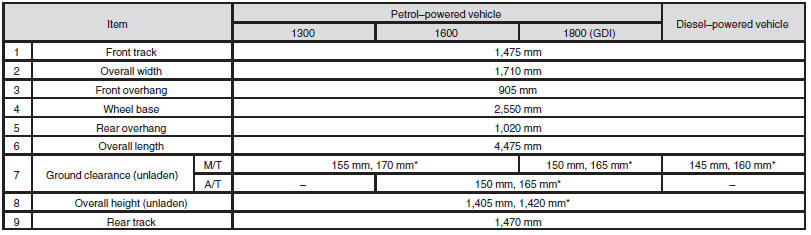
Dimensions
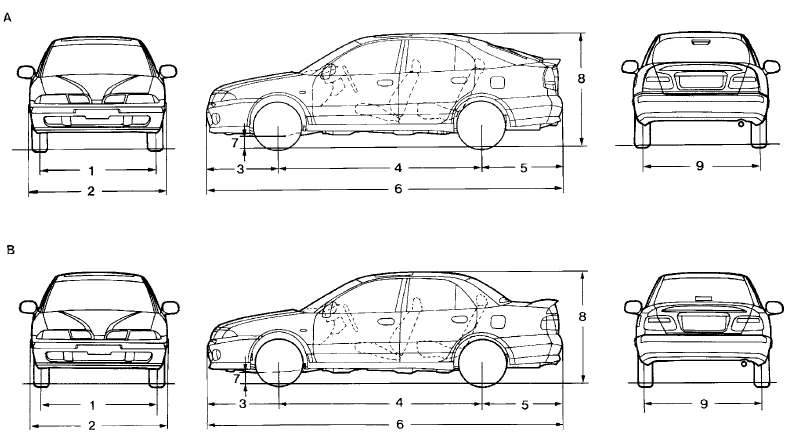
A: Hatchback
B: Sedan
See also:
Changing the detection areas
The detection areas can be changed as follows:
Vehicles with a towing bar
While the operation of the system is stopped at the “SONAR” switch, push the
“SONAR” switch approximately 3 second ...
Turn-signal lever
1- Turn-signals
When making a normal turn, use position (1). The lever will return automatically
when cornering is completed.
2- Lane-change signals
When moving the lever to (2) slightly to cha ...
Emergency starting
If the engine cannot be started because the battery is weak or dead, the battery
from another vehicle can be used with jumper cables to start the engine.
Warning
► To start the engine using ...