
Luggage compartment
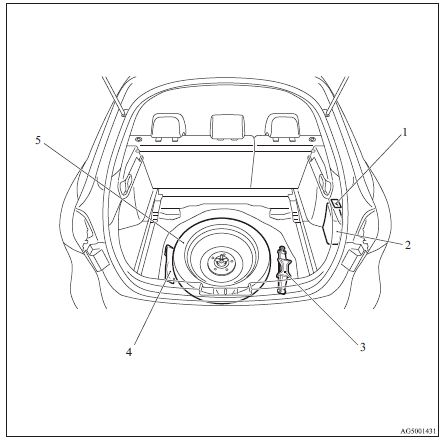
1. Cargo room lamp
2. AWC control fluid reservoir (Vehicles with Twin Clutch SST)
3. Jack
4. Tools
5. Spare wheel
See also:
Hinges and latches lubrication
Check all latches and hinges, and lubricate if necessary by first cleaning and
then applying multipurpose grease. ...
Starting the engine (Petrol-powered vehicles)
This vehicle is equipped with an electronically controlled fuel injection system
which is automatically controlled. When starting the engine, do not depress the
accelerator pedal. ...
Turn/lane-change signals
The turn-signal lamps flash when the switch is operated (with the ignition switch
“ON”). At the same time, the turn signal indicator flashes.
1- Turn-signals
When making a normal turn, use p ...