
Auto go
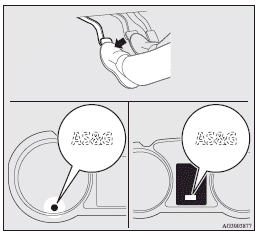
Depress the clutch pedal while the gearshift lever is in the “N” (Neutral) position. The “ ” display/indicator turns off and the engine restarts automatically.
See also:
Electronic immobilizer (Anti-theft starting system)
The electronic immobilizer has been designed to significantly reduce the possibility
of vehicle theft.
The purpose of the system is to immobilize the vehicle if an invalid start is
attempted. A v ...
Other interrupt displays (when the ignition switch is “ON”)
The operation status of each system is displayed on the information screen. Refer
to the appropriate page for the system for further details.
This informs you that a periodic inspection is due.
...
LW/MW/FM digital tuning radio with CD player
The audio system can only be used when the ignition switch is in the “ON” or
“ACC” position.
Note
► When listening to the audio system while the engine is not running, be sure
to ...