
To install
Confirm that the head restraint is facing the correct direction, and then insert it into the seatback while pressing the height adjusting knob (A) in the direction indicated by the arrow.
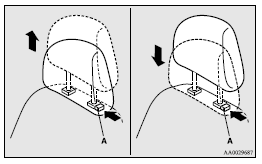
 Caution
► Confirm that the height adjusting knob (A) is correctly adjusted as shown in the illustration, and also lift the head restraints to ensure that they do not come out of the seatback.
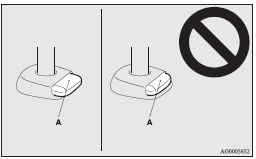
Caution
► The shape and size of the head restraint differs according to the seat. Always use the correct head restraint provided for the seat and do not install the head restraint in the wrong direction.
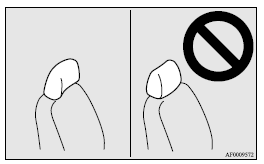
See also:
Running-in recommendations
During the running-in period for the first 1,000 km, it is advisable to drive
your new vehicle using the following precautions as a guideline to aid long life
as well as future economy and perform ...
ACD (Active centre differential system
The ACD is a system that improves acceleration performance and straight-ahead
stability by regulating the differential limiting action and power drive distribution
of the centre differential.
Ca ...
Cigarette lighter
The cigarette lighter can be used while the ignition switch is in the “ON” or
“ACC” position.
1- Push all the way in.
The cigarette lighter will automatically return to its original posi ...