
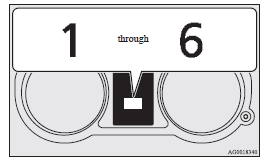
Manual shift display
In manual shift, the currently selected gear is displayed on the multi-information display.
See also:
The side airbags and curtain airbags ARE NOT DESIGNED TO DEPLOY when…
The side airbags and curtain airbags are not designed to deploy in conditions
where they cannot usually provide protection to the occupant. Typical conditions
are shown in the illustration.
1- ...
Adaptive Front lighting System (AFS)
The AFS makes it easier for the driver to see ahead at night. While the lamp
switch is in the or “AUTO” position
(with the headlamps on), turning the steering wheel causes a bending lamp to a ...
USB control panel and display
1- AM/FM button
2- CD (Mode change) button
3- PWR (On-Off) button
4- PAGE (Title scroll) button
5- DISP (Title display) button
6- RPT (Repeat) button
7- RDM (Random) button
8- (Fast-revers ...