
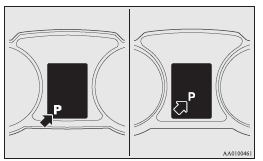
Selector lever position display
When the ignition switch is turned to the “ON” position, the position of the selector lever is indicated in the multi-information display.
See also:
Electric power steering system warning display
When there is a malfunction in the system, the warning display will appear on
the information screen in the multi-information display.
Caution
► If the warning display appears during driv ...
Passing acceleration
To gain extra acceleration in “D” (DRIVE) position, push the accelerator to the
floor. The Twin Clutch SST will automatically downshift.
Note
► In manual shift, downshifts do not take p ...
To listen to tracks from a device connected via Bluetooth
1. Press the PWR button (2) to turn on the audio system. The system turns on
in the last mode used.
2. Press the CD button (1) several times to switch to the B (Bluetooth®) mode.
The input mode ...