
Twin Clutch SST control mode display
When the ignition switch is turned to the “ON” position, the currently selected control mode is displayed on the multi-information display.
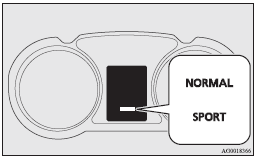
See also:
Security alarm system
The security alarm system is for alerting the surrounding area of suspicious
behaviour to prevent unlawful entry into the vehicle by operating an alarm if a
door, the tailgate or the bonnet is ope ...
Trailer towing
In order to tow a trailer with your vehicle, when having a trailer towing device
mounted that meets all relevant regulations in your area, consult a MITSUBISHI MOTORS
Authorized Service Point.
Th ...
Deployment of front airbags and driver's knee airbag
The front airbags and driver’s knee airbag ARE DESIGNED TO DEPLOY when…
The front airbags and driver’s knee airbag are designed to deploy when the vehicle
suffers a moderate to severe frontal ...